Low - Fidelity
Design Process
Sketching & Wireframes
Hand-Drawn Low Fidelity Wireframes
I began the design of Perfect Petal with hand-drawn low fidelity wireframes to rapidly sketch and iterate layout ideas. These sketches, driven by user research data, allowed me to quickly evaluate and refine the best concepts before moving to high fidelity designs. This approach ensured a user-centered and efficient design process from the start.
Diving into Figma
After hand-drawing initial wireframes, I digitized these sketches in Figma to build the foundation of the high-fidelity design for Perfect Petal. Converting these layouts into digital wireframes allowed for precise adjustments and clearer visualization of the app's structure. This step ensured that the design was polished and ready for detailed styling and user interactions in the high-fidelity phase.
Sketches

Wireframes


Midjourney
AI Magic
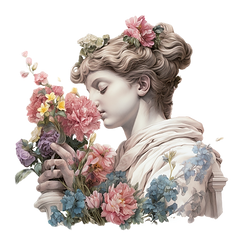
To bring a distinctive and elegant touch to Perfect Petal, I started by experimenting with Midjourney prompts to generate visuals inspired by Baroque art. My goal was to blend the grandeur and detail of Baroque aesthetics with the modern functionality of the app.